Weselt is the visit and attendance platform your organisation runs on. Scan a QR to clock in, send an engineer to a partner, host a visitor at HQ — every event is GPS-verified, timestamped, and auditable.
Attendance at head offices and factories. Engineers visiting partner sites. Visitors arriving at reception. Same scan, same audit log, same source of truth.
Scan a per-location QR at the door. Geofence + double-scan protection prevent fakes. One open shift per employee — the next scan elsewhere closes it cleanly.
An engineer files a visit to a partner contact. The contact accepts via a magic link. Arrive scan opens the visit, depart scan closes it — host and HR get notified at every step.
An employee invites an external contact. The visitor gets an email with a one-time QR. Reception scans on arrival — the host is pushed, the pass page flips to "Checked in" in real time.
Each location carries lat/lng + radius. Distance Matrix powers real ETAs; haversine is the fallback when offline. Late visits trigger CC'd alerts after a per-partner grace window.
Every scan, accept, decline, correction, and late-alert writes a row to weselt_audit_events with before/after payloads. HR corrections are stored on the row; history is never overwritten.
Expo push to mobile, Nodemailer over M365 SMTP for email. Per-event CC rules: visit accepted, declined, late-alert, visitor arrived. Sender templates live in EN and AR.
Each role sees only what they need — the mobile app for employees and engineers, the admin dashboard for HR and reception, the web portal for partners.
Open the mobile app, scan the HQ or factory QR, and you're checked in. Your history and corrections live in the app.
Mobile appFile outgoing visits to partner sites. Track ETA, scan on arrival and departure, file a follow-up note when you leave.
Mobile appLive-now boards, attendance corrections, location & QR management, notification rules, full audit export. Reception & manager roles inherit the views they need.
Admin web"Currently inside" and "Expected today" auto-refresh every 30s. Scan a visitor's one-time QR to mark arrival; the host gets pushed instantly.
Admin webNo app, no login. A magic link drops them on the bilingual web portal where they accept, decline, or watch their pass flip from expected to checked in.
Web portalOutgoing — your engineer goes to a partner's site. Incoming — an external visitor comes to your location. Same scan engine, same event log, same notifications.
Engineer → Partner site
Create the visit
Search partner, pick a contact, set planned time. Submit.
Accept via magic link
A bilingual portal opens; they accept, decline, or reschedule. Browser geolocation pins the destination.
ETA + late-alert armed
Distance Matrix returns the ETA. If arrival hasn't happened by eta + grace, the late-alert job fires.
Scan to arrive · scan to depart
The partner's site QR records arrival and departure inside the geofence. Host pushed on each event.
Closed & logged
visit_request_sent · visit_accepted · visit_arrived · visit_departed — appended to the trail.
Host → External contact
Invite a visitor
Pick the partner, the contact, the location, and the time. Send.
Receive the pass
A bilingual page shows the one-time QR, host name, location, planned time. The page polls for live status.
Expected today
The Reception console auto-refreshes every 30s. Today's incoming visits queue up with their status.
Scan to enter
Geofenced to the site location. Visitor's pass flips to "Checked in"; host gets a push.
Inside → departed
Departure scan clears them from "Currently inside". Visit complete; pass page closes.
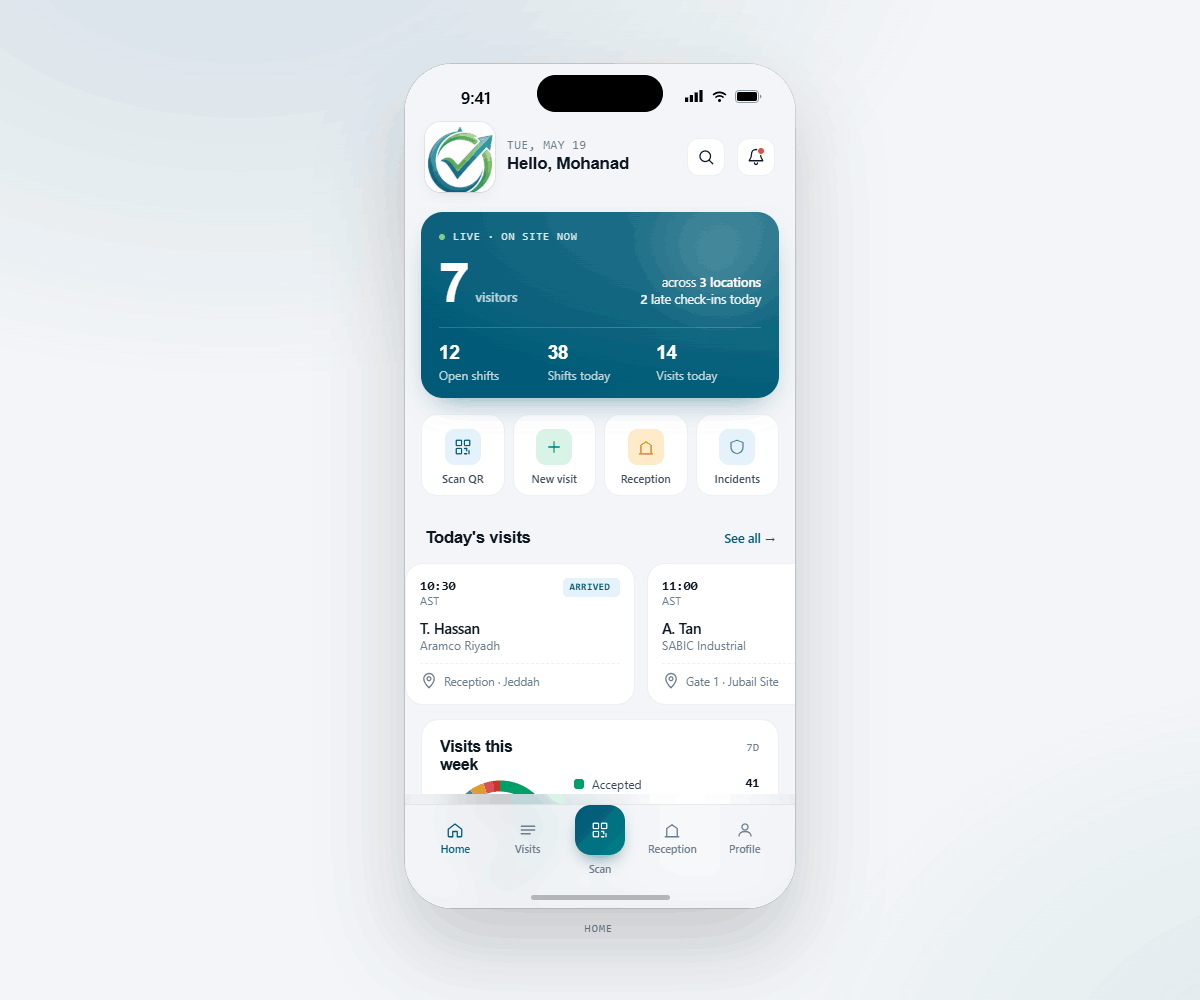
Three taps from launch to a check-in, an invite, or a scan. The mobile app supports employees, engineers, reception, and managers — what each role sees is what each role can do.
Visitors on site, open shifts, today's visits — the live count refreshes every 30 seconds.
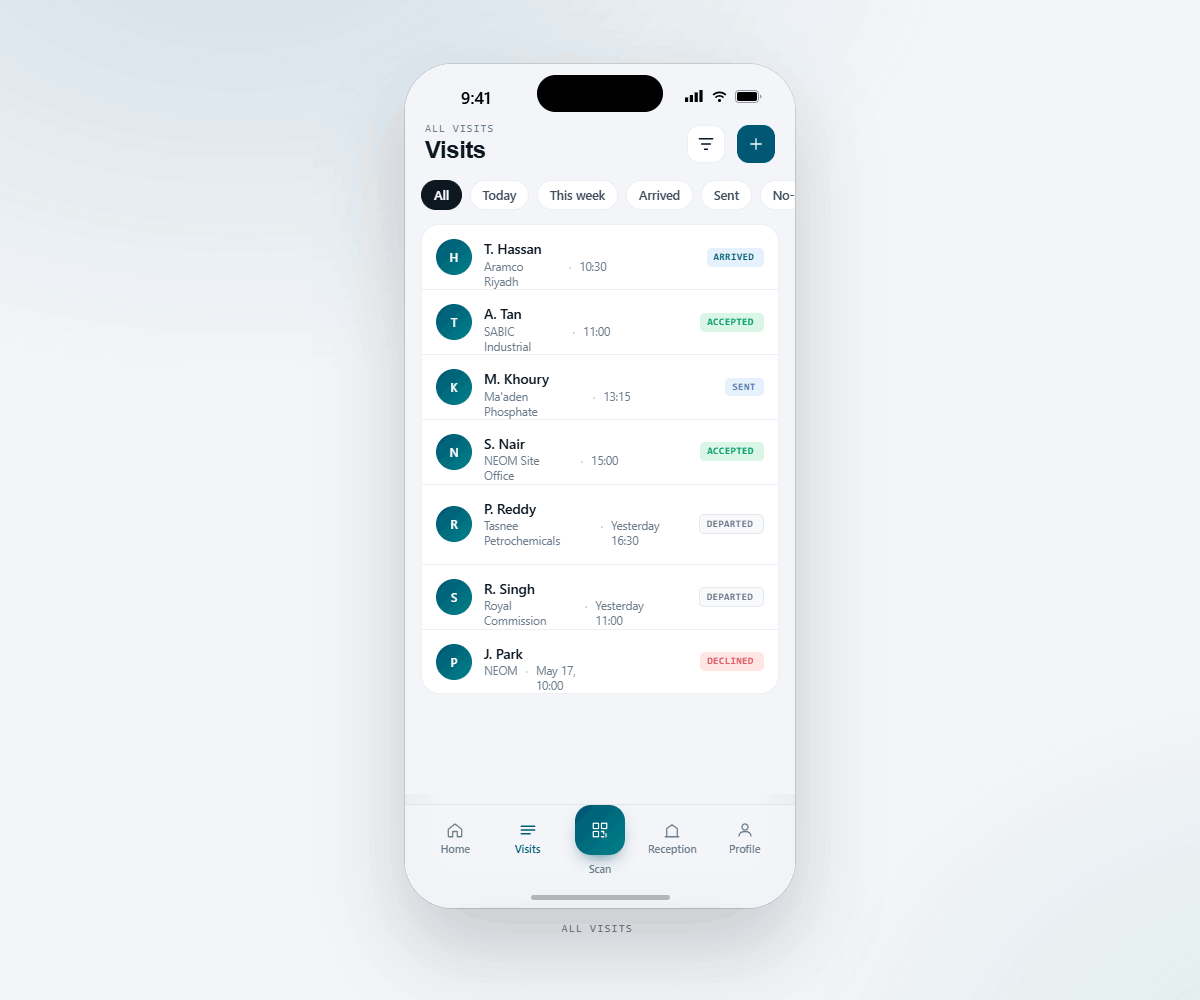
Today, this week, arrived, sent, no-show — triage in one glance with status chips.
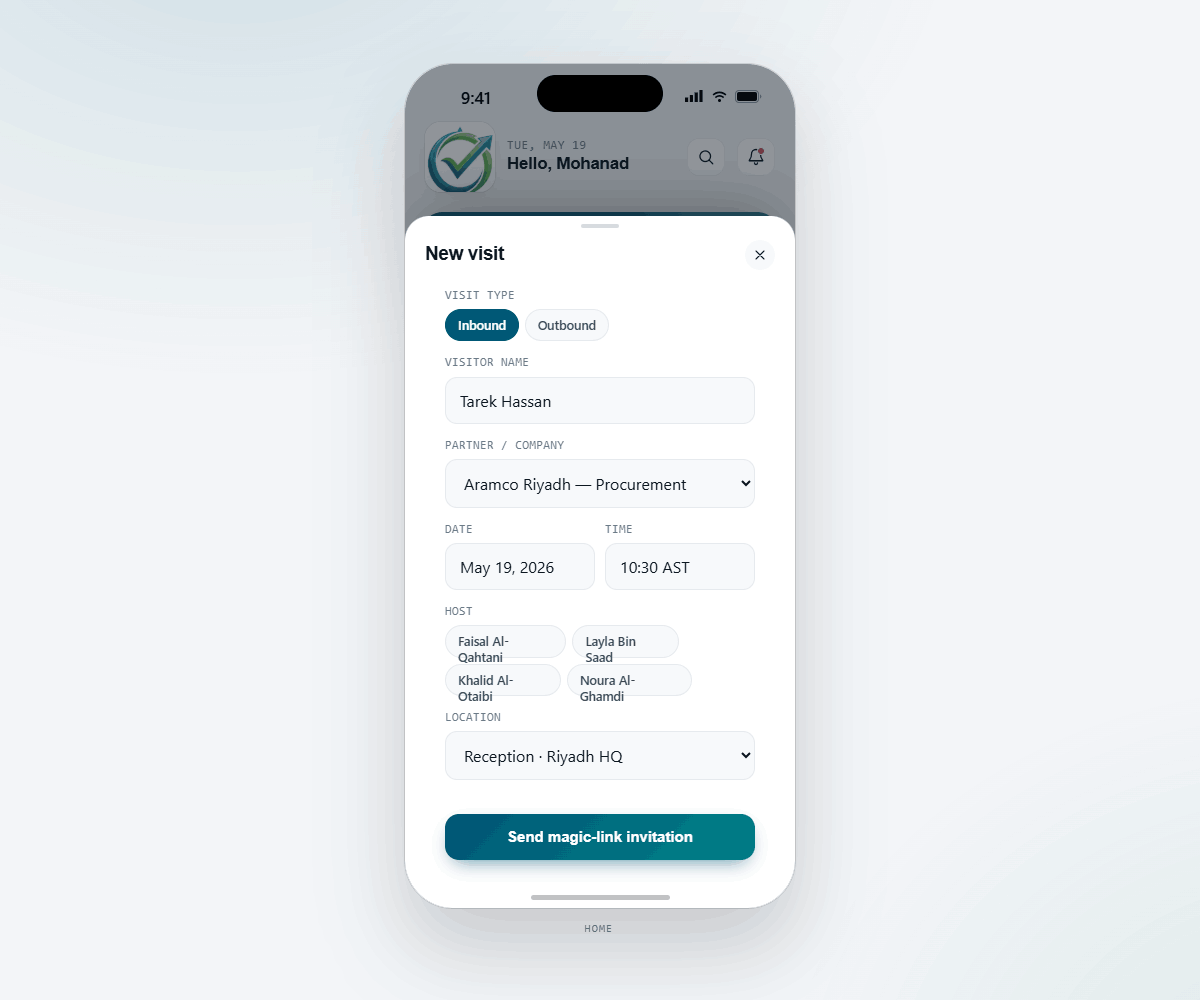
Inbound or outbound. Pick the partner, contact, host and time — the visitor gets a one-time QR pass by email.
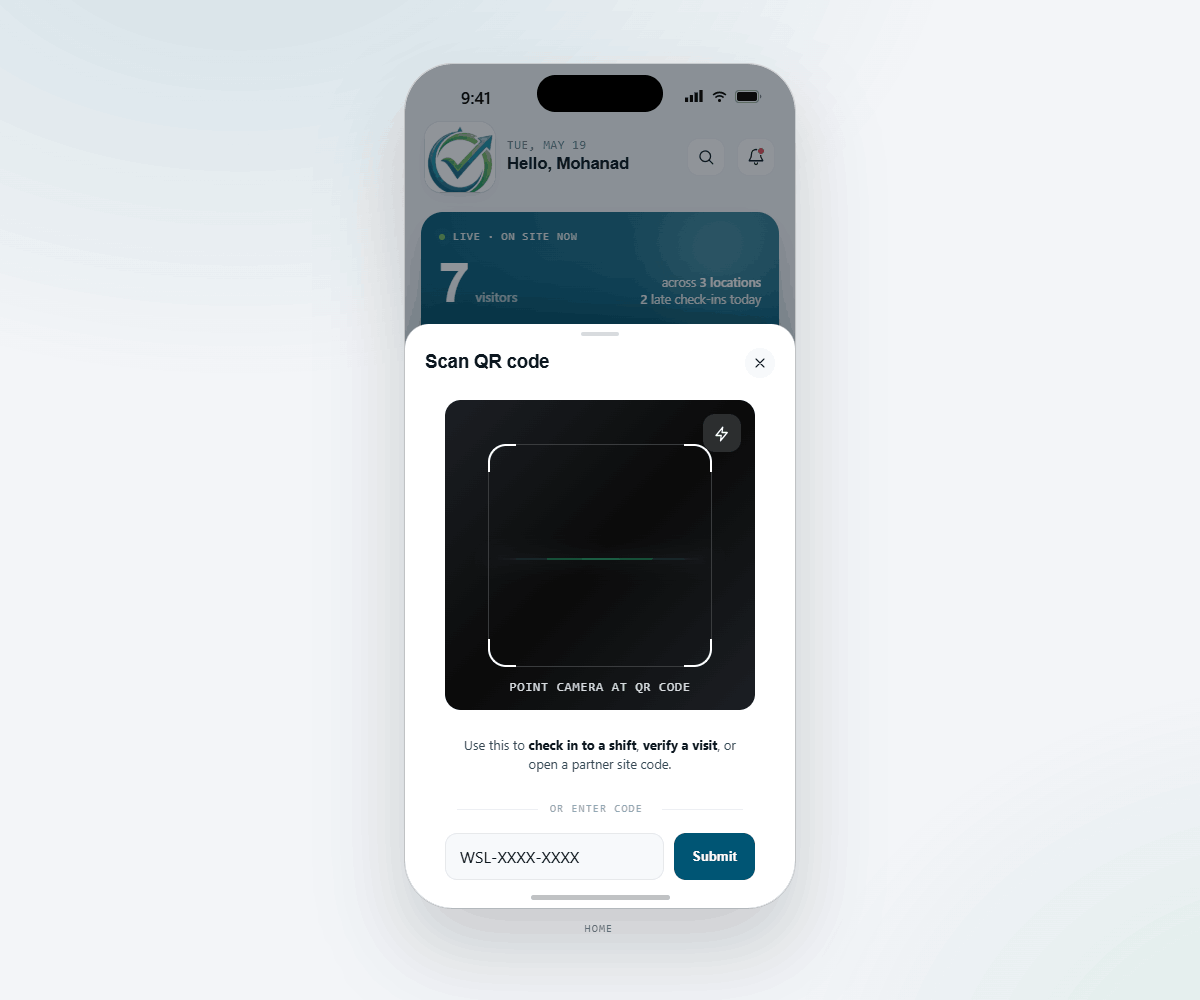
Check in to a shift, verify a visit, or open a partner site code — the same camera, geofence-validated each time.
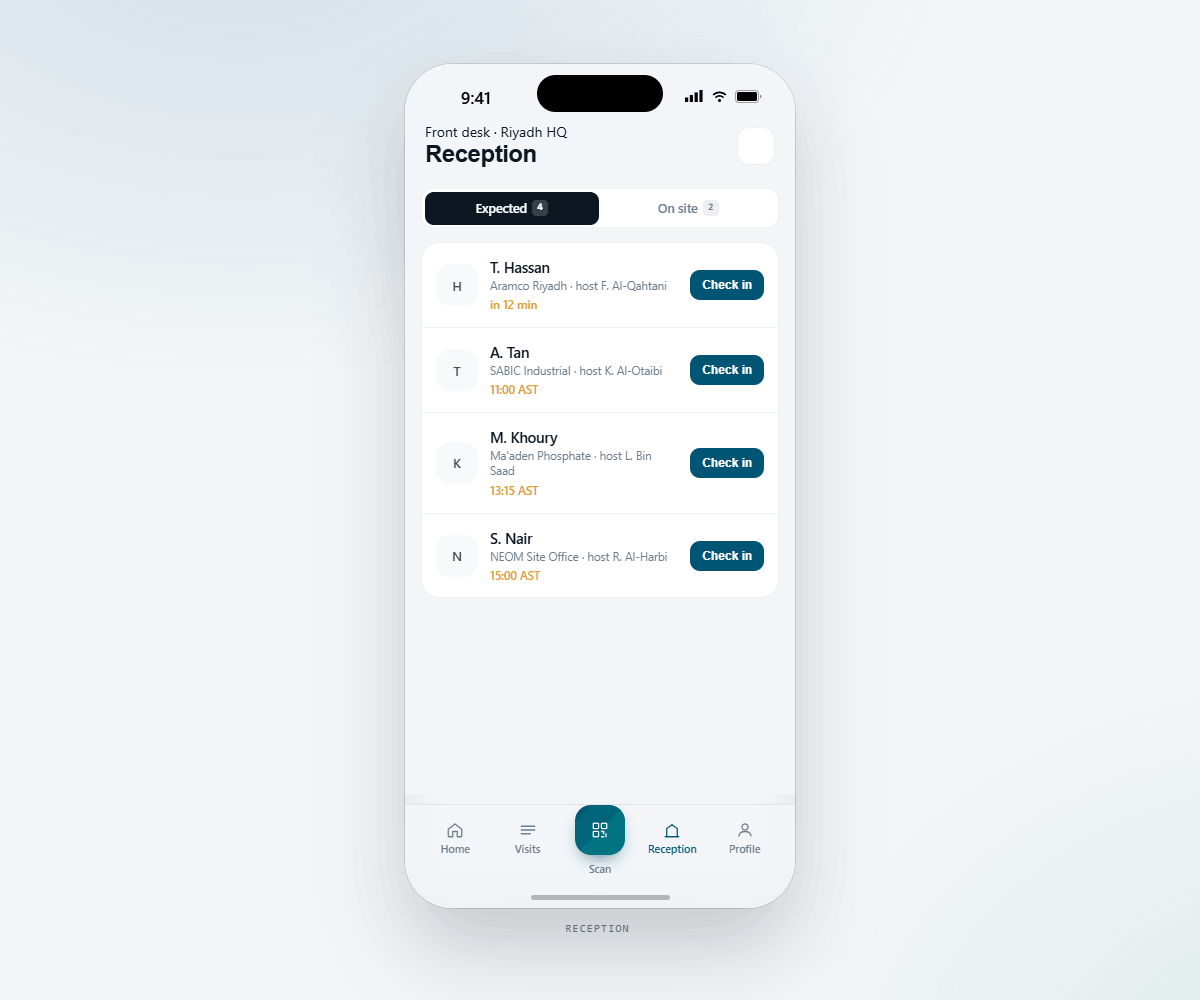
Switch between expected arrivals and visitors currently on site. Check people in or out with one tap — no kiosk needed.
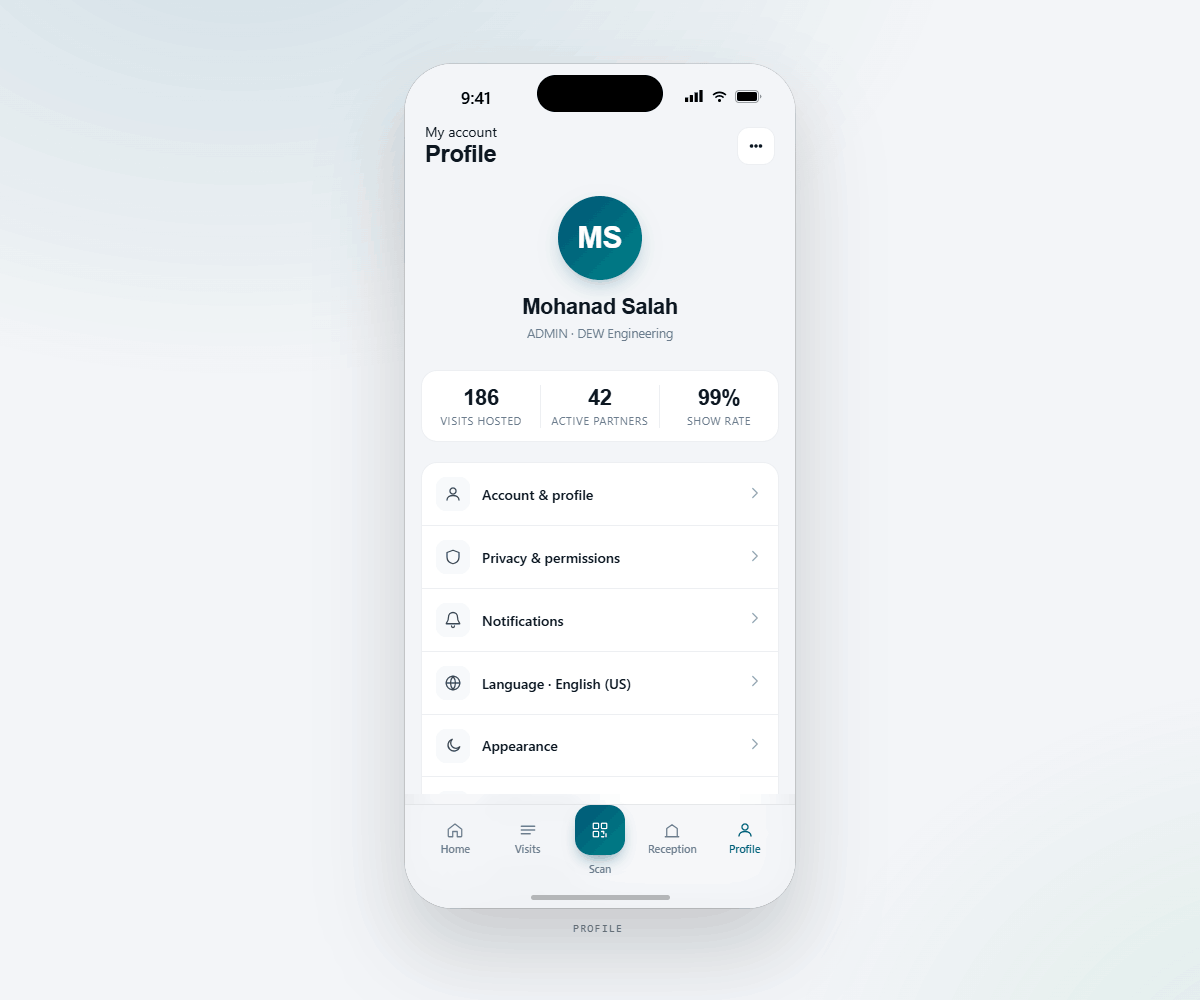
Hosted, partners, show-rate. Language, notifications and appearance — tuned per device.
HR and reception don't sit behind a kiosk anymore. Pull out a phone, scan a visitor in, triage an unaccepted arrival, clear a shift left open overnight. The whole desk is mobile.
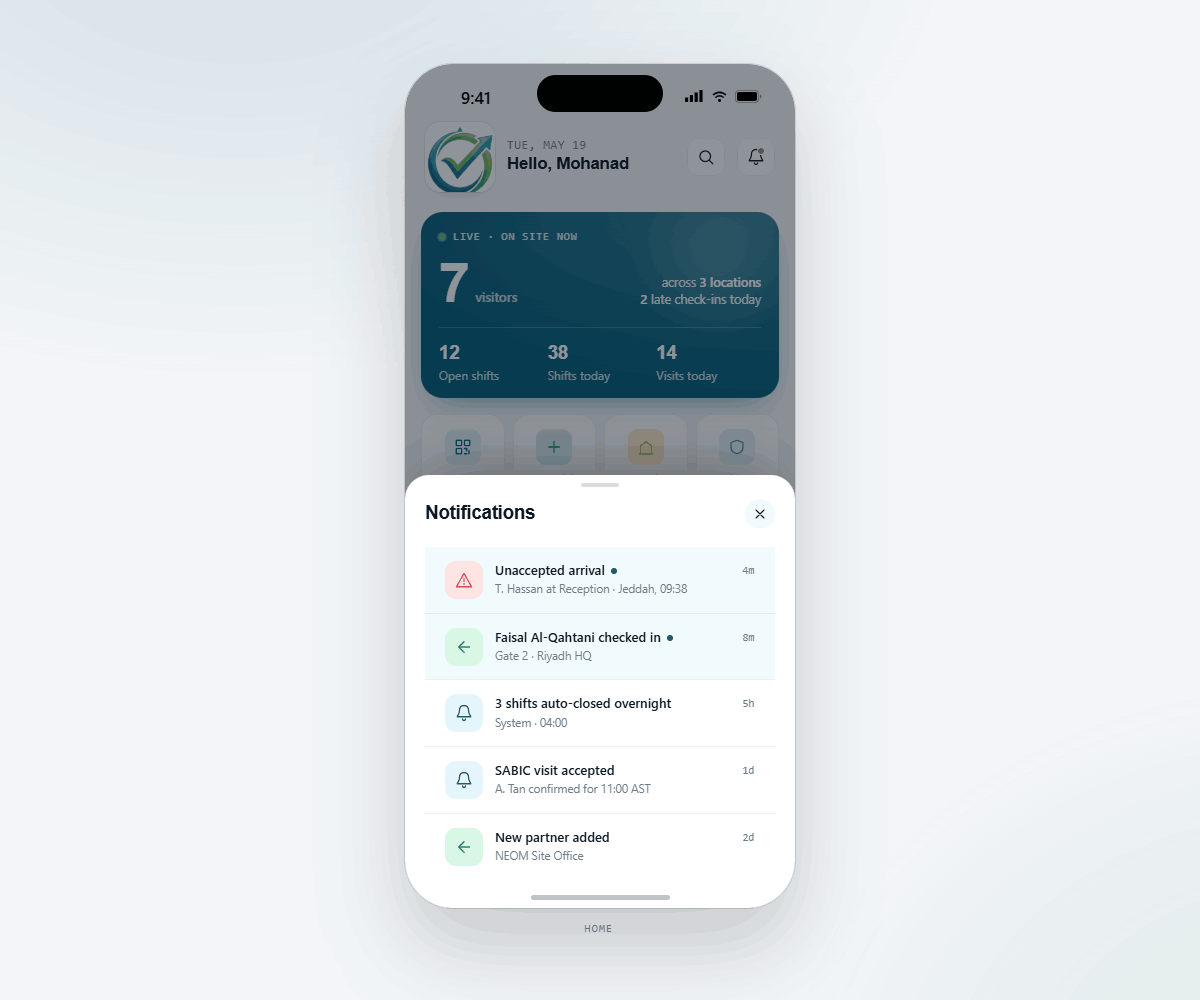
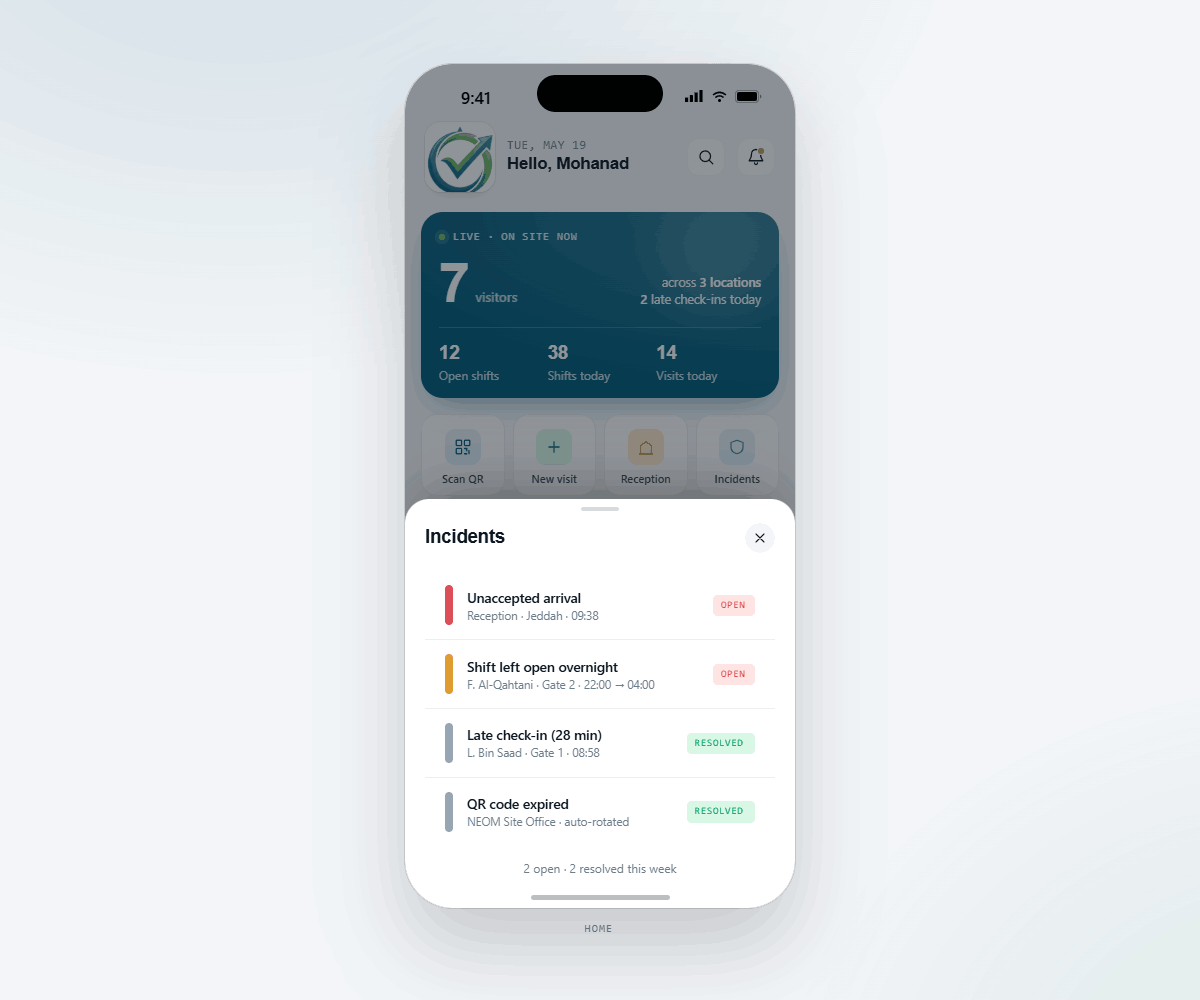
HR is going to ask: who edited this row, when, and why? Weselt has the answer ready. The trail is append-only — corrections are stored alongside the original event, never on top of it.
geofence_failed.
forbidden_scanner.
/api/weselt/audit/export dumps the trail filtered by date, location, or user. Hand it to finance or compliance whenever they ask.
Employees and engineers download the mobile app. HR, reception, and managers sign in to the admin dashboard. Partners get a magic link in their inbox — no install needed.
Scan the code with your phone — open in the App Store or Play depending on your device.
The schema landed for all five phases on day one — the API and UI ship in waves so HR and engineers can adopt without a big-bang switchover.
Mobile + admin attendance, locations, QR generation, HR corrections, audit trail.
Outgoing visits, magic-link acceptance, ETA + late alerts, web portal, push + email rules.
Incoming visitor passes, one-time QR pass page, Reception console, host push.
Manager dashboards, per-partner grace, permanent partner-site QRs, full Arabic translations.
Migrate users, partners, contacts into your ERP of choice. Single sign-on, single source of truth.